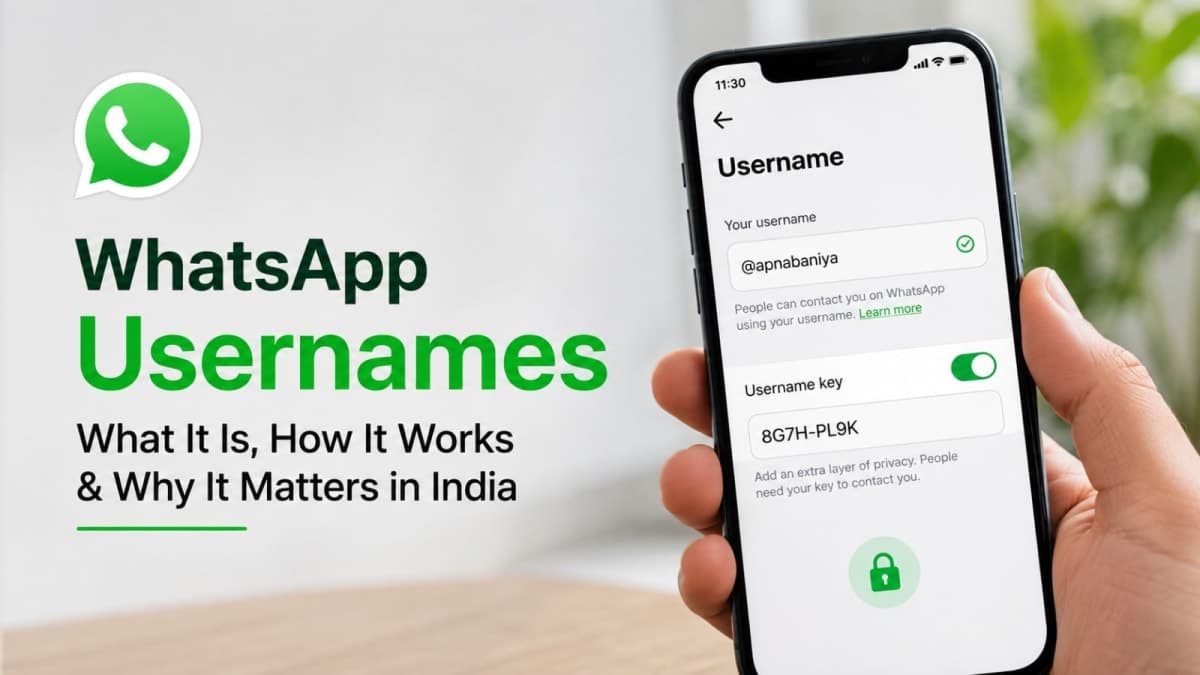
WhatsApp usernames let you start chats and join groups without handing over your phone number. The feature adds an optional @handle on top of your existing number-based account so new people see the username instead of your digits. Reservations began in late June 2026 and the full ability to message by username is rolling out gradually. Your number stays required for the account itself.
For Indian users who live inside family groups, society WhatsApp lists, school parents’ chats and random business enquiries, this is one of the more useful privacy upgrades the app has shipped. It does not magically erase your number from every old chat, and it does not turn WhatsApp into a fully anonymous platform. It does reduce how often you have to give out a number that is tied to your SIM, bank apps and Aadhaar-linked services.
What WhatsApp usernames actually do
Until now the only way to reach someone on WhatsApp was their mobile number. A username changes the first-contact step. Once the feature is live on both sides, you can share @yourhandle instead of the ten-digit number. The other person types that handle (and the optional key if you set one) and the chat opens. Your number stays hidden from them.
Key points that matter in daily use:
Still number-based underneath. Registration, login, two-step verification and account recovery continue to use your phone number. You cannot run WhatsApp on a username alone.
No public directory. There is no search that lets strangers browse or discover random handles. Someone must already know the exact username.
Existing contacts are unaffected. People who already have your number saved keep seeing the number (and the contact name they gave you). The privacy gain is for new people and new groups.
Old groups stay the same. Groups you are already in continue to show numbers as before. New groups you join after the feature is active can show the username instead.
Usernames can be 3 to 35 characters long. Allowed characters are lowercase letters, numbers, periods and underscores. The handle must contain at least one letter, cannot start with “www”, cannot end with a domain-style extension, and cannot have two periods in a row. WhatsApp has already reserved many high-profile names (public figures, government entities, verified accounts) so random people cannot claim them.

Real benefits for Indian users
The practical upside is straightforward. In India a mobile number is not just a contact detail. It is linked to banking OTPs, UPI, DigiLocker, government services and countless delivery apps. Every time you drop your number into a random group or give it to a shopkeeper who wants to “send the bill on WhatsApp”, that number becomes more visible.
Less number exposure in new groups. Relatives or colleagues who add you to large family or society groups will surface your username rather than the number for new members. That reduces the chance of your number landing in the hands of people you never intended to share it with.
Lower SIM-swap and social-engineering risk. Scammers who collect numbers from open groups or shared lists have one less easy starting point. Your number is still recoverable if someone already has it, but you stop handing it out casually.
Cleaner first contact for work or small business. You can put a username on a visiting card, Instagram bio or shop board without printing your personal mobile number. Customers can still reach you; the number stays private until you choose to share it.
Optional extra lock. The username key (a short code you control) means even someone who learns or guesses your handle cannot message you until they also have the key. You can change the key whenever you want.
The biggest win is control over first contact. Share the username freely; keep the number for people you already trust or for services that genuinely need it.
How to reserve and set your username
Update WhatsApp to the latest version from the Play Store or App Store. Then:
Open WhatsApp and go to Settings (Android three-dot menu or iOS You tab).
Tap Account, then Username.
Choose to create a new handle or, if offered, claim your existing Instagram or Facebook username (provided it is still free across Meta).
Type the desired name. WhatsApp checks availability in real time.
Save it. You can change the username later, though there may be limits on how often.
If the Username option is not visible, the reservation or full feature has not reached your account yet. WhatsApp is rolling this out in phases; an in-app notice usually appears when it becomes available. Indian users saw early beta access and reservation options from mid-2026, but full messaging-by-username has been more limited while regulatory discussions continue.
When the feature is fully active on your account you will also see the option to set a username key. Turn it on if your handle is short, common, or already public on other platforms. People who already have your number or share a group with you do not need the key.

Privacy settings and practical trade-offs
Usernames are optional. If you never set one, WhatsApp works exactly as it always has. Once you enable a username, new first-time contacts see the handle by default. You can still share your number manually whenever you want.
Two settings worth checking after you reserve a handle:
Who can contact you by username. Everyone who knows the exact handle, or only people who also know your username key.
Visibility of your number. Existing privacy controls for last seen, profile photo and about remain separate. The username mainly affects what new people see when the chat starts.
Trade-offs you should accept consciously:
Reusing social handles links identities. If you claim the same name you use on Instagram or Facebook, anyone who knows one can more easily find the other. For maximum separation, pick a different WhatsApp username.
Impersonation risk exists but is not new. Scammers can still create look-alike names. WhatsApp has reserved many official and celebrity handles and says it will limit how many new contacts an account can reach via username, block repeated key-guessing attempts, and surface context (new account, different country, shared groups) on first messages. Treat unknown username messages the same way you treat unknown numbers today.
Your number is not deleted from history. Anyone who already has it, or who is in an old group with you, continues to see it. This is not a full number-hiding tool for past contacts.
Situation | With username | Without username |
|---|---|---|
New person wants to message you | Shares @handle (plus key if set) | Must share phone number |
Added to a new group | Username can appear instead of number | Number is visible to members |
Existing contacts and old groups | Number still visible | Number still visible |
Account recovery and login | Still needs phone number | Needs phone number |
Current status in India and what to do next
Reservations opened globally around 29 June 2026. Full use of usernames for starting chats began limited testing shortly after. In India the government asked Meta to pause the wider rollout while it examined risks of impersonation and cyber fraud. Meta has stated that the ability to message by username was not yet fully live at the time of the notice and that it would not launch the feature in India until consultations concluded. Availability therefore varies by account and continues to expand gradually.
What you can do today:
Update the app and check Settings → Account → Username. If the option is there, reserve a handle you actually want. Good names disappear quickly once more people notice the feature.
Decide on the key. Enable it if the username will appear on any public profile or listing.
Avoid the common mistake. Do not simply copy your real name or the exact Instagram handle you already use everywhere unless you are comfortable with cross-platform linking.
Keep using numbers for trusted contacts. The username is an additional channel, not a replacement for people who already have your number.
For more practical privacy and phone advice that actually holds up in daily Indian use, see more guides on the site. The feature is useful, but only if you treat the username as a controlled public identifier and keep the number for the people and services that genuinely need it.
In short: reserve a sensible username when the option appears, turn on the key if your handle is guessable, and continue treating unknown messages with the same caution you already apply to unknown numbers. The privacy gain is real for new contacts; it is not a complete shield for your existing digital life.