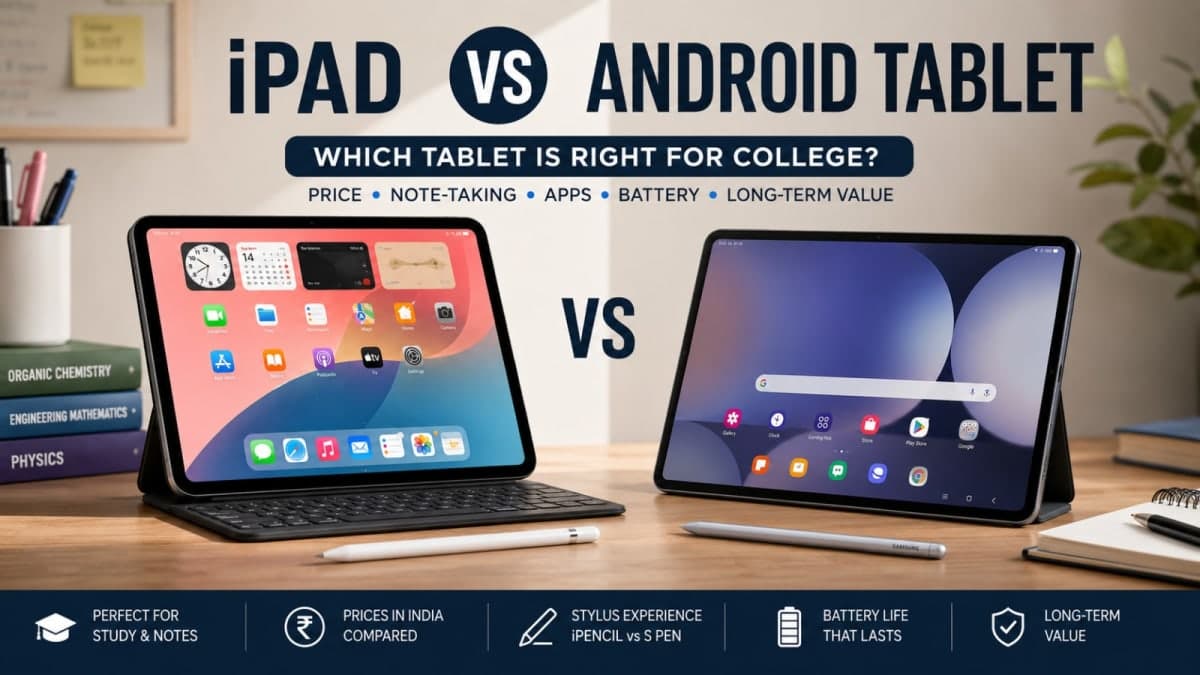
The choice between iPad vs Android tablet for college depends on your major, how you take notes, and how much you can actually spend. A base iPad now starts around ₹47,900–₹49,900 with education pricing in India. Capable Samsung Galaxy Tabs with the S Pen included often sit lower, sometimes under ₹40,000 for solid mid-range models. The right pick is the one that matches your daily workflow, not the one with the flashiest ads.
This guide breaks the decision down by common college use cases, real India prices, stylus costs, and long-term ownership. No fluff, just what holds up after a semester of lectures, PDFs and late-night assignments.
Price Reality in India Right Now
Apple raised iPad prices in 2026 because of higher memory costs. The education store still softens the blow for verified students and teachers.
Base iPad. Education pricing sits near ₹47,900–₹49,900 for the current generation Wi-Fi model. Cellular costs more.
iPad Air. 11-inch models start around ₹83,900 with education discounts. Larger 13-inch versions climb higher.
Apple Pencil. USB-C version is about ₹7,900. The Pro version is around ₹11,900. It is almost never free.
Samsung Galaxy Tab options. Mid-range models such as the Tab S10 FE or similar FE-series tablets often fall between ₹35,000 and ₹57,000 and frequently include the S Pen. Budget Tab A and Redmi/Xiaomi pads start well under ₹25,000.
Add a keyboard case and the total cost rises on both sides. On Apple the stylus is a mandatory extra for serious note-taking. On many Samsung tablets it is already in the box. That difference matters when the budget is tight.

Note-Taking and Stylus Experience
This is the make-or-break factor for most college students.
Apple’s Pencil feels precise and the best note apps (GoodNotes, Notability) are polished and reliable. Handwriting recognition and organisation features are mature. The downside is the extra cost and the need to keep the Pencil charged or attached.
Samsung’s S Pen usually needs no charging, has very low latency, and works immediately out of the box on supported models. Samsung Notes is free and capable. Many students who write a lot of equations or diagrams prefer the S Pen simply because it is always ready and does not add to the bill.
Third-party styli exist for both platforms, but the official ones still feel better for long sessions. If your lectures involve heavy annotation of PDFs or hand-drawn diagrams, try both in a store if possible. The feel is personal.
Which Tablet Fits Your Major
Different courses put different pressure on a tablet.
Medical and life sciences. Large annotated textbooks, diagrams and long PDF reading dominate. Both platforms handle this. iPads are common in medical colleges because the app ecosystem and smooth annotation feel premium. A Samsung Tab with S Pen does the same job for less money and often includes the stylus. Battery life on both is good enough for a full day of classes.
Engineering and technical courses. You need solid multitasking, PDF markup, and sometimes light coding or simulation viewers. Android tablets with expandable storage and file-manager flexibility can feel less restrictive. Samsung DeX mode turns some Tabs into a desktop-like experience when you plug in a keyboard and monitor. iPads are still excellent for notes and reading but can feel more closed when moving large files between devices.
Arts, design and architecture. iPad wins for most creative students. Procreate and other drawing apps are simply better optimised. The Apple Pencil experience is hard to match for illustration and detailed sketching. Higher-end Android tablets with good styli exist, but the app quality gap is still noticeable.
Commerce, law and general studies. Either platform works. Focus on battery, screen size for reading, and total cost including stylus and case. A mid-range Samsung or a base iPad will both last the degree if treated carefully.
If your college still relies heavily on Windows software or shared lab computers, keep a cheap laptop or use college machines for the heavy work and let the tablet handle notes and reading.
Software, Apps and Long-Term Support
iPadOS apps for education are generally more polished. Many specialised study tools appear on iPad first or only. Software support from Apple is excellent; older iPads still receive updates for years.
Android tablets vary. Samsung’s higher models now promise long software support (often five to seven years on recent FE and S series). Budget Android tablets from other brands can lag or stop updating earlier. File management is more open on Android, which helps when you deal with many PDFs, scanned notes or shared drives.
Resale value still favours Apple in most Indian cities. A well-kept iPad holds value better after three or four years. Samsung Tabs depreciate faster but cost less to buy in the first place.

Battery, Build and Daily Practicality
Both modern iPads and mid-range Samsung Tabs easily last a full college day of notes, PDFs and some video. Real-world differences are smaller than the marketing numbers suggest. Larger Android tablets sometimes carry bigger batteries and charge faster.
Build quality is high on both. iPads feel more premium in the hand. Many Samsung Tabs offer better water and dust resistance on higher models. Weight and thickness matter when you carry the tablet all day — try them in person if you can.
Accessories change the experience. A good keyboard case turns either tablet into a light laptop substitute for essays. Official keyboards are expensive on both sides; third-party options work but vary in quality.
Buy the tablet that matches how you actually study, not the one your friends post about. A cheaper Android with a free stylus often beats a more expensive iPad that sits without a Pencil.
Clear Recommendations by Budget
Under ₹25,000. Go Android. Look at current Samsung Tab A series or strong Redmi/Xiaomi pads. You will not get the best stylus experience, but for reading, video lectures and light notes they are enough.
₹35,000–₹60,000. This is the sweet range. A Samsung Galaxy Tab with S Pen included usually offers the best balance of screen, stylus and software support. Compare the exact model’s update promise before buying.
₹48,000 and above. Base iPad becomes realistic, especially with education pricing and any free Pencil offers that appear during Back to School sales. Add the Pencil cost into your calculation. iPad Air makes sense only if you need the extra power for creative work or want a longer future-proof window.
Always check the current education store pricing on Apple’s site and student offers on Samsung or Flipkart/Amazon. Prices and bundles shift during sale periods.
For more student device advice, see our other guides. The best tablet is the one you will actually carry and use every day. Match it to your major, your note-taking style, and the real total cost including stylus and case. That decision holds up far better than chasing the highest specs.